Introduction to search lenses
What is a search lens?
A search lens changes what people can find in search based on where they are on your site and which search interface they are using.
Use lenses when different parts of your site need different search behavior. For example, you can show only blog posts in a blog search field, or only products in a store search.
Each lens does two things:
- decides where it applies
- decides what content it can return
If you get stuck, contact support and we can help.
Examples
Here are two common setups.
Blog-only search
Suppose your blog lives at /blog.
Your header already links to /search, which searches the whole site. Now you want a search input on the blog page that searches only blog content.
To do that, create a new lens from the Search Lenses page.
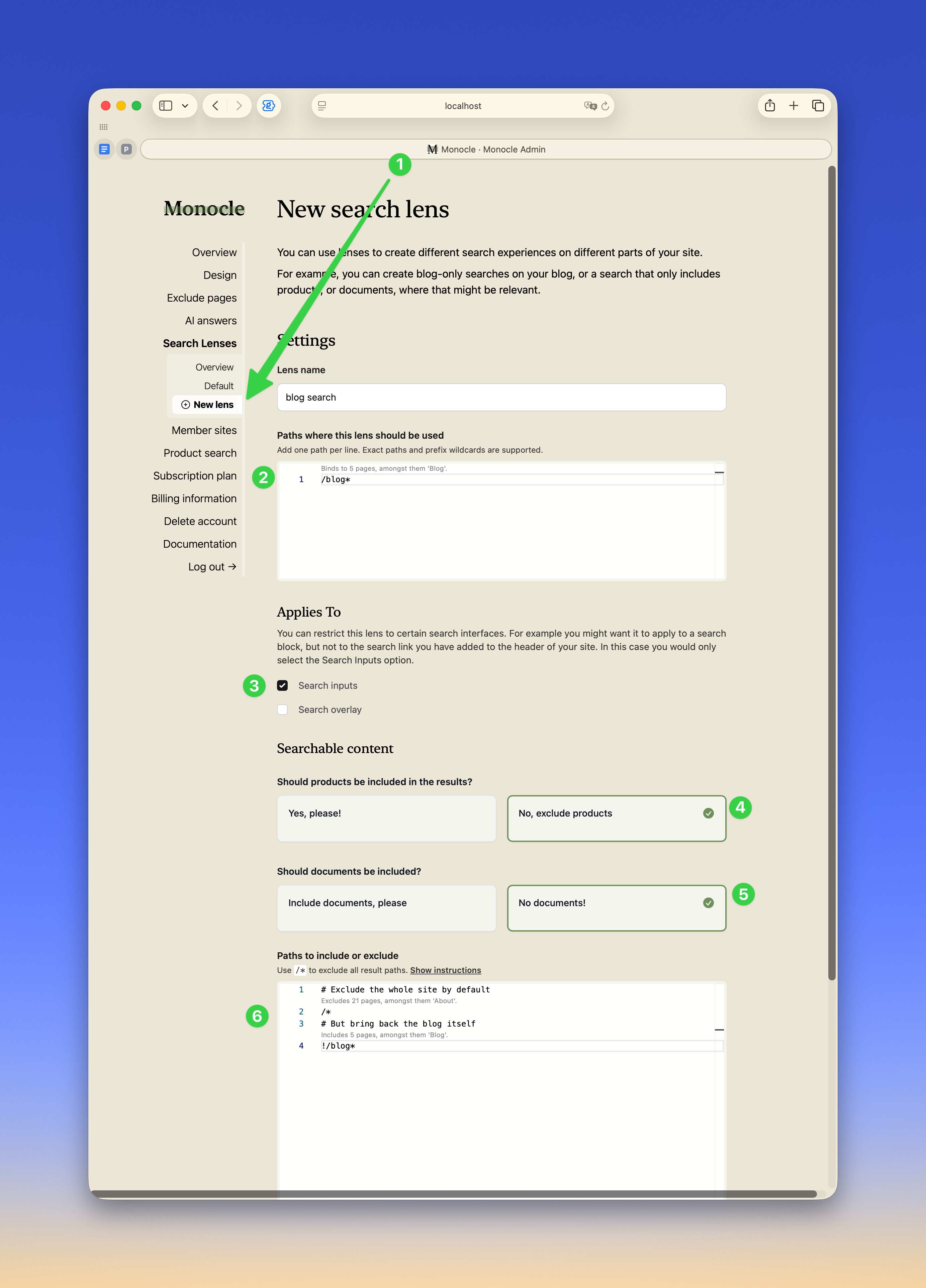
In the lens editor:
- Set
Paths where this lens should be usedto/blog*so the lens applies on the blog and its subpages. - Leave
Search inputsenabled and turn offSearch overlayif you want the blog search block to use this lens, but not the header search link. - Turn off products and documents if they should not appear in blog search.
- In
Pages to include or exclude, exclude everything with/*, then bring the blog back with!/blog*.
After you save, the header search still searches the whole site. The blog search field returns blog content only.
Multi-language search
Now imagine your site uses language paths in the URL. For example:
- acme.org and acme.org/en for English
- acme.org/no for Norwegian
- acme.org/de for German
You usually want search to return results in the same language the visitor is viewing. Lenses make that possible.
Start with the English version. You can use the Default lens for that and exclude the other language sections:
# Exclude Norwegian pages
/no*

# Exclude German pages
/de*
Then create one lens for Norwegian and one for German. The German example below shows the idea. The Norwegian lens is set up the same way.
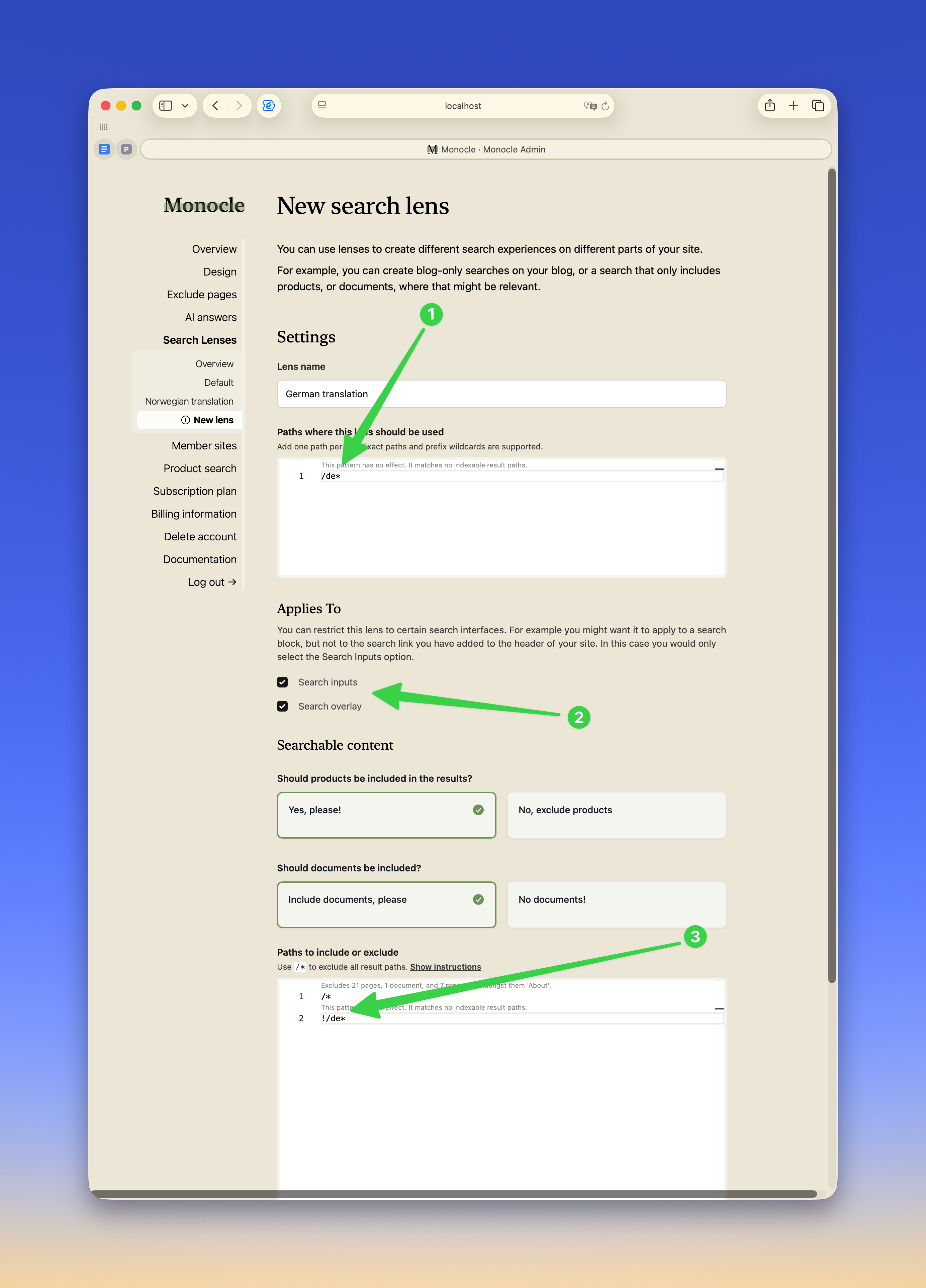
Important settings:
- Set
Paths where this lens should be usedto/de*. Use/de*, not/de, so the lens applies to the full German section and not only the root page. - Enable the search surfaces that should use the German lens. If both
Search inputsandSearch overlayare enabled, both search experiences stay in German. - In
Pages to include or exclude, exclude everything with/*, then bring back German content with!/de*.
After saving, use the lens tester on the Search Lenses overview page to confirm that the right lens is selected for each path.
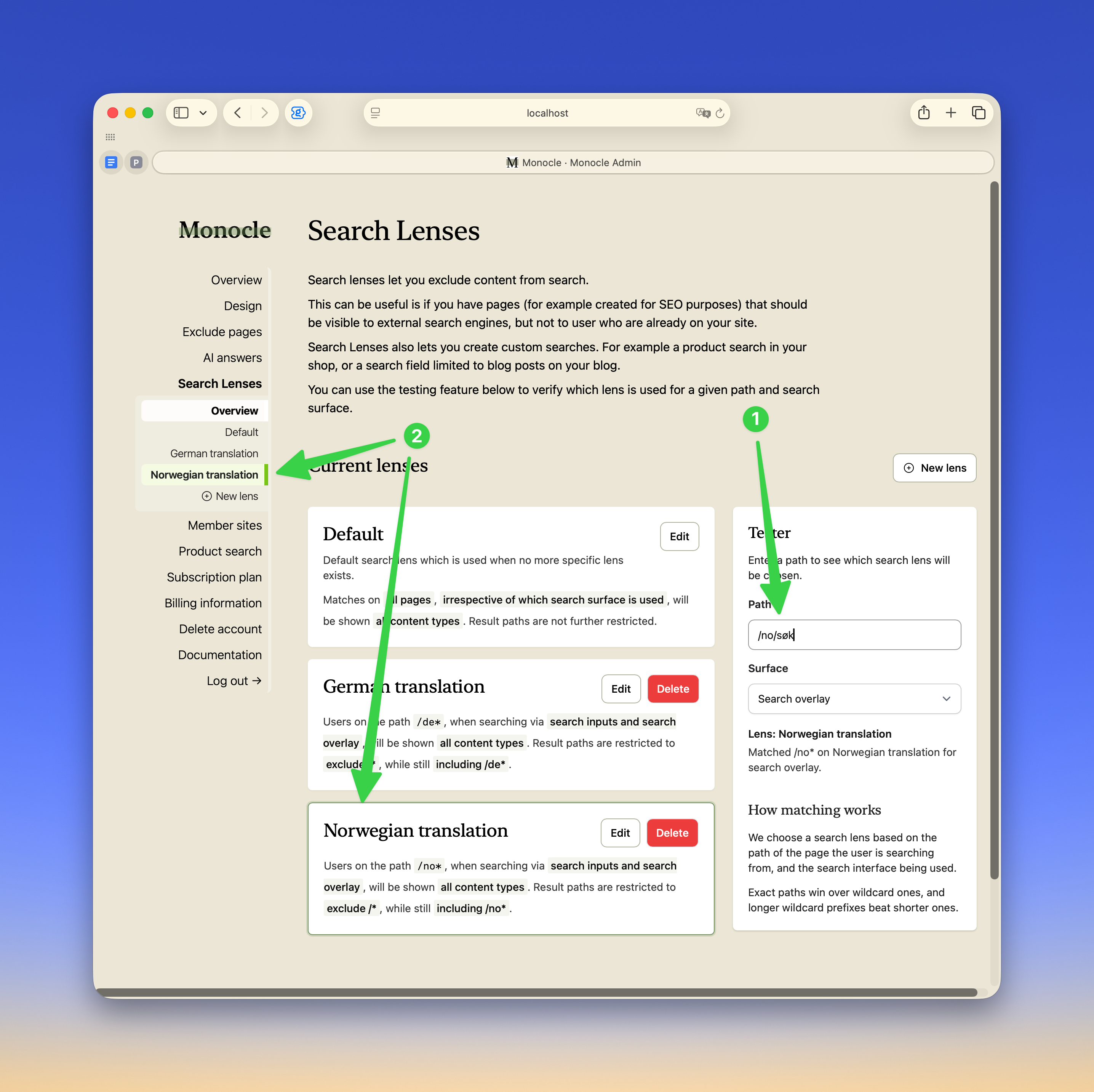
In this example, testing a Norwegian path highlights the Norwegian lens.